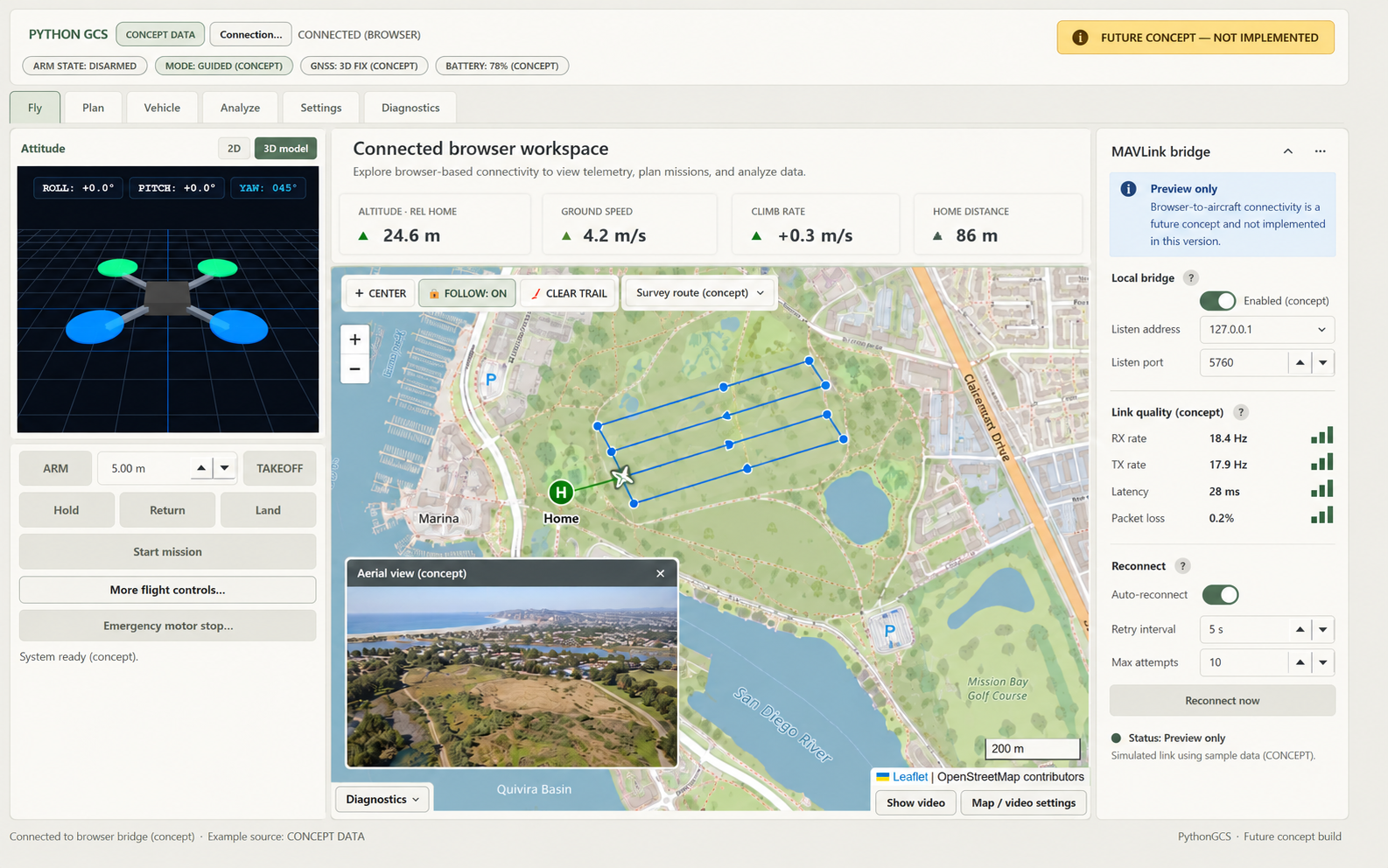
Terrain-aware mission planning
Editable geofences and an elevation profile would help users review routes and planned clearance.
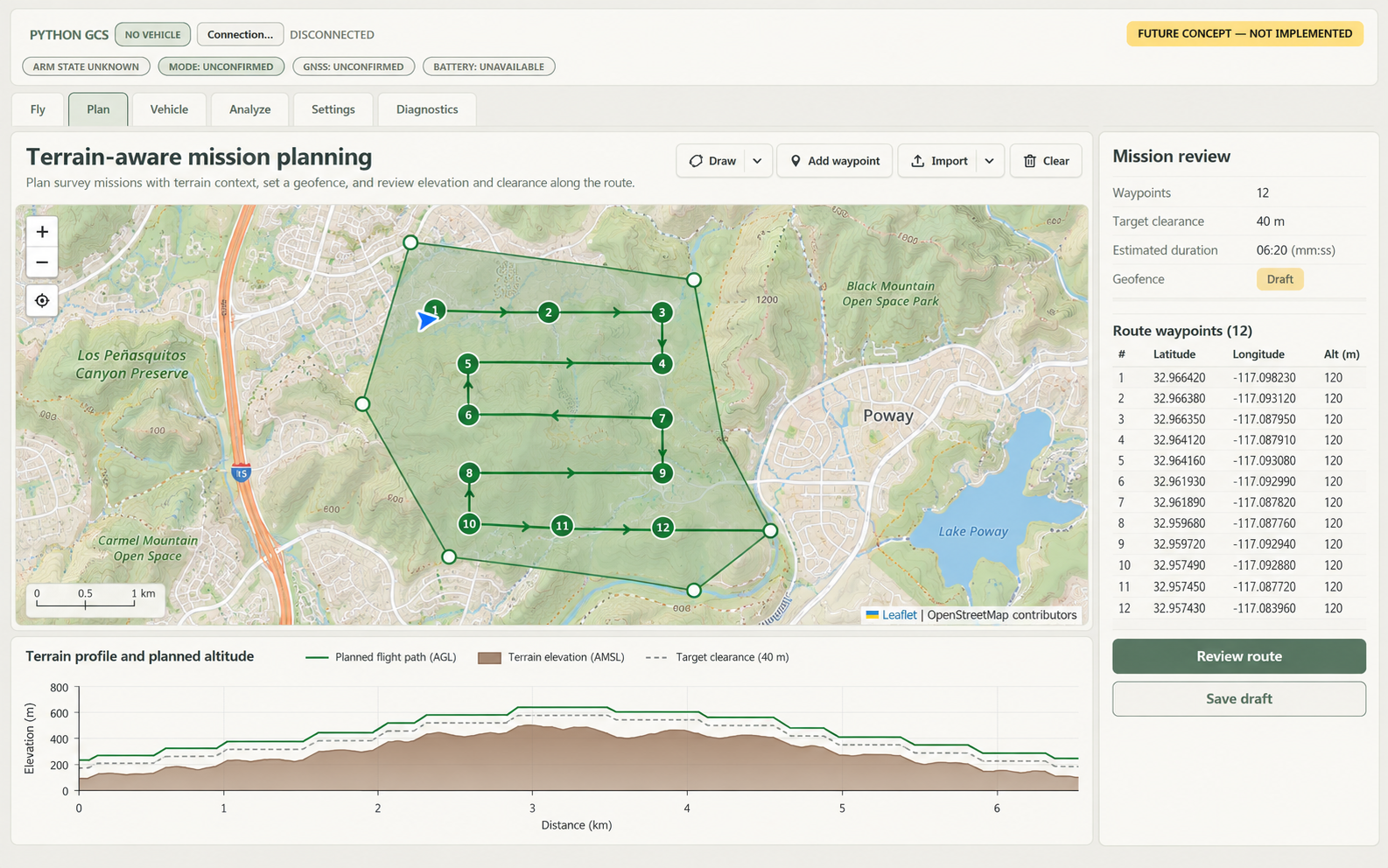
With this project, I want to explore the software side of a drone: how flight data, mission planning, and the interface fit together. Building my own ground control station in Python gives me room to shape those tools around what I want to learn, from visualizing the aircraft’s orientation to organizing a flight route. My goal is to keep developing that understanding through simulation and, eventually, testing with my real drone.View the project on GitHub ↗
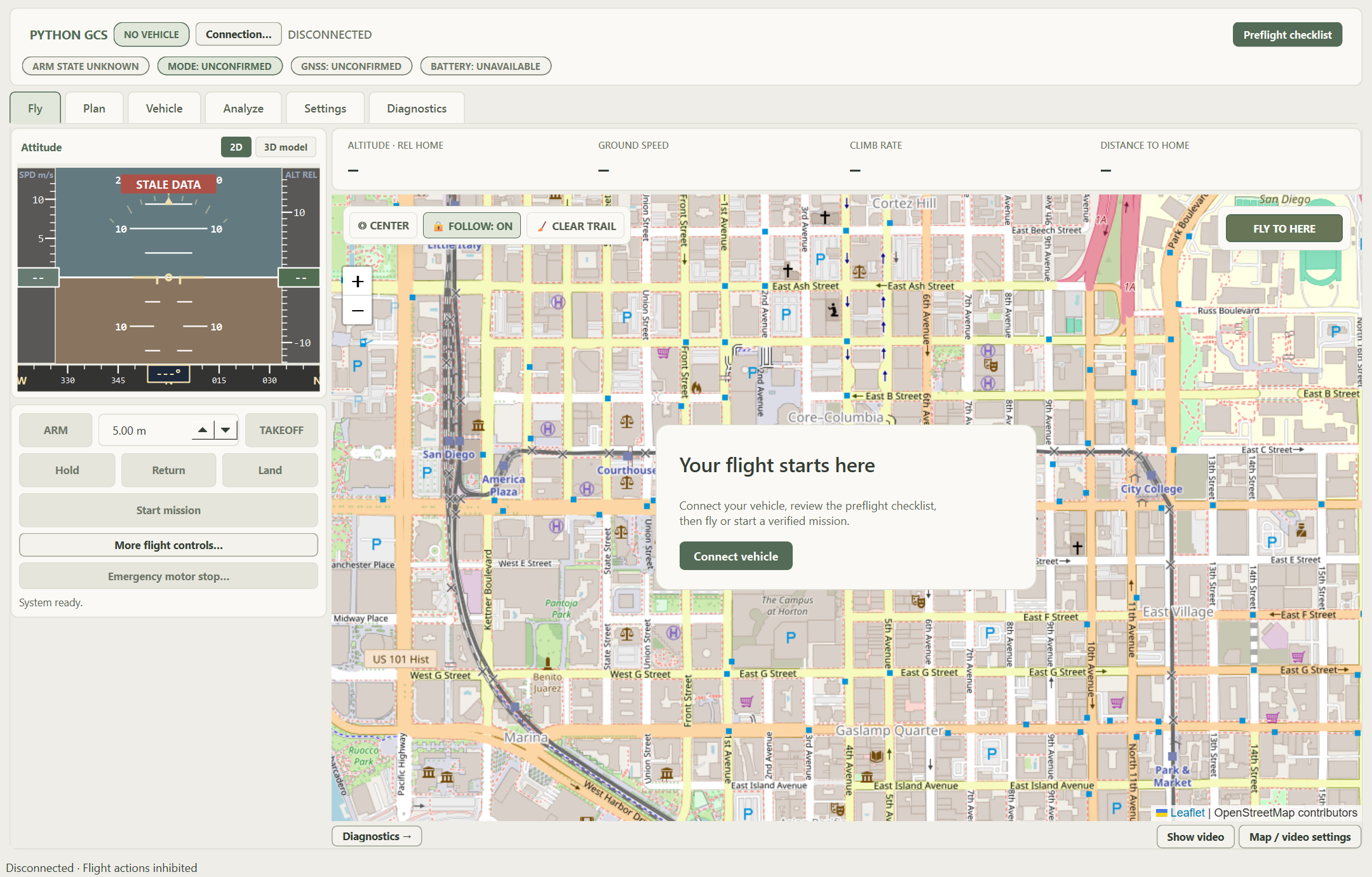
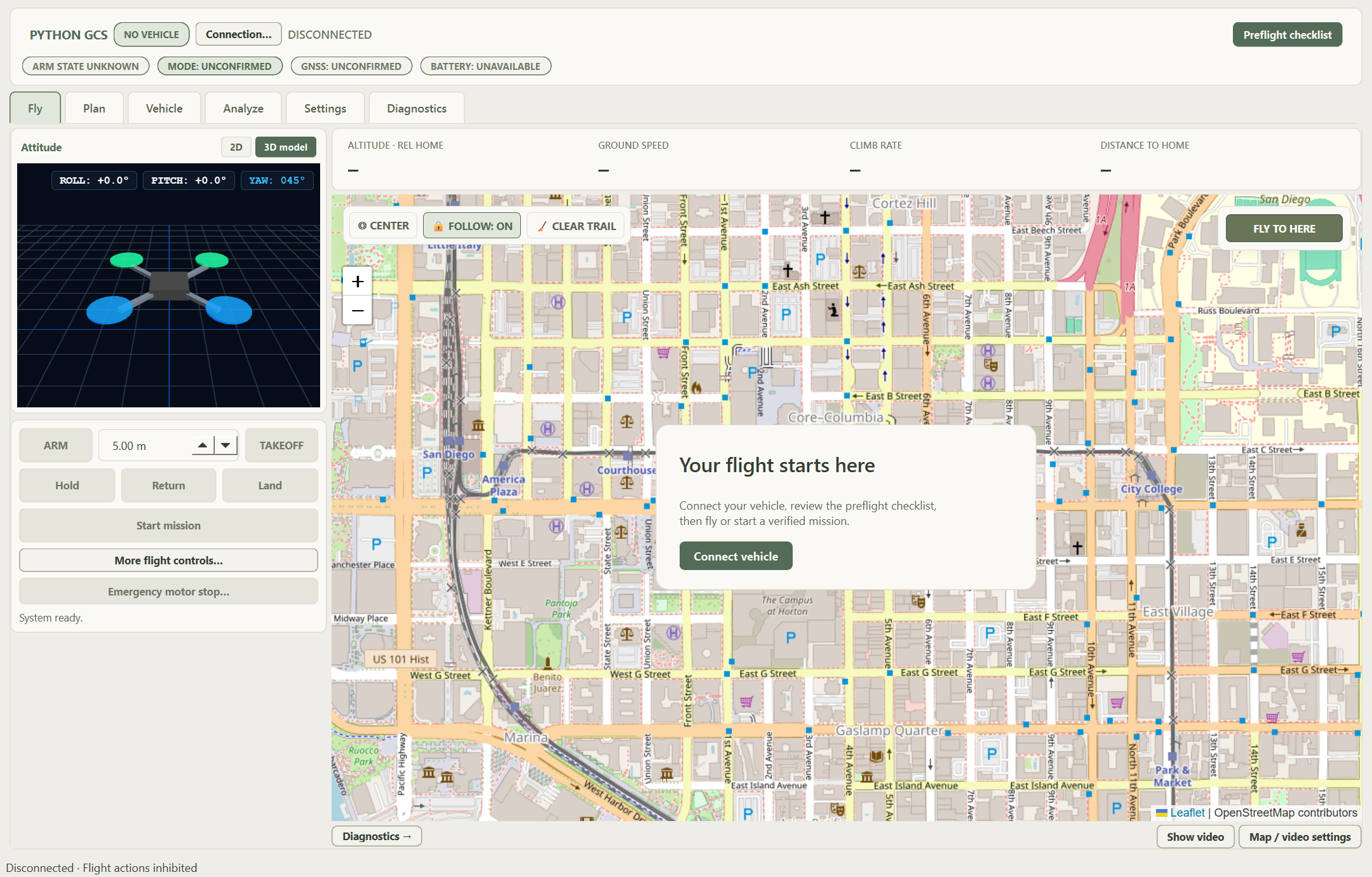
The 3D drone model sits beside the flight map and follows the vehicle’s roll, pitch, and heading. It gives the pilot a visual understanding of aircraft orientation alongside the numerical readings. The 2D/3D switch lets the pilot change between conventional flight instruments and the model without leaving Fly.
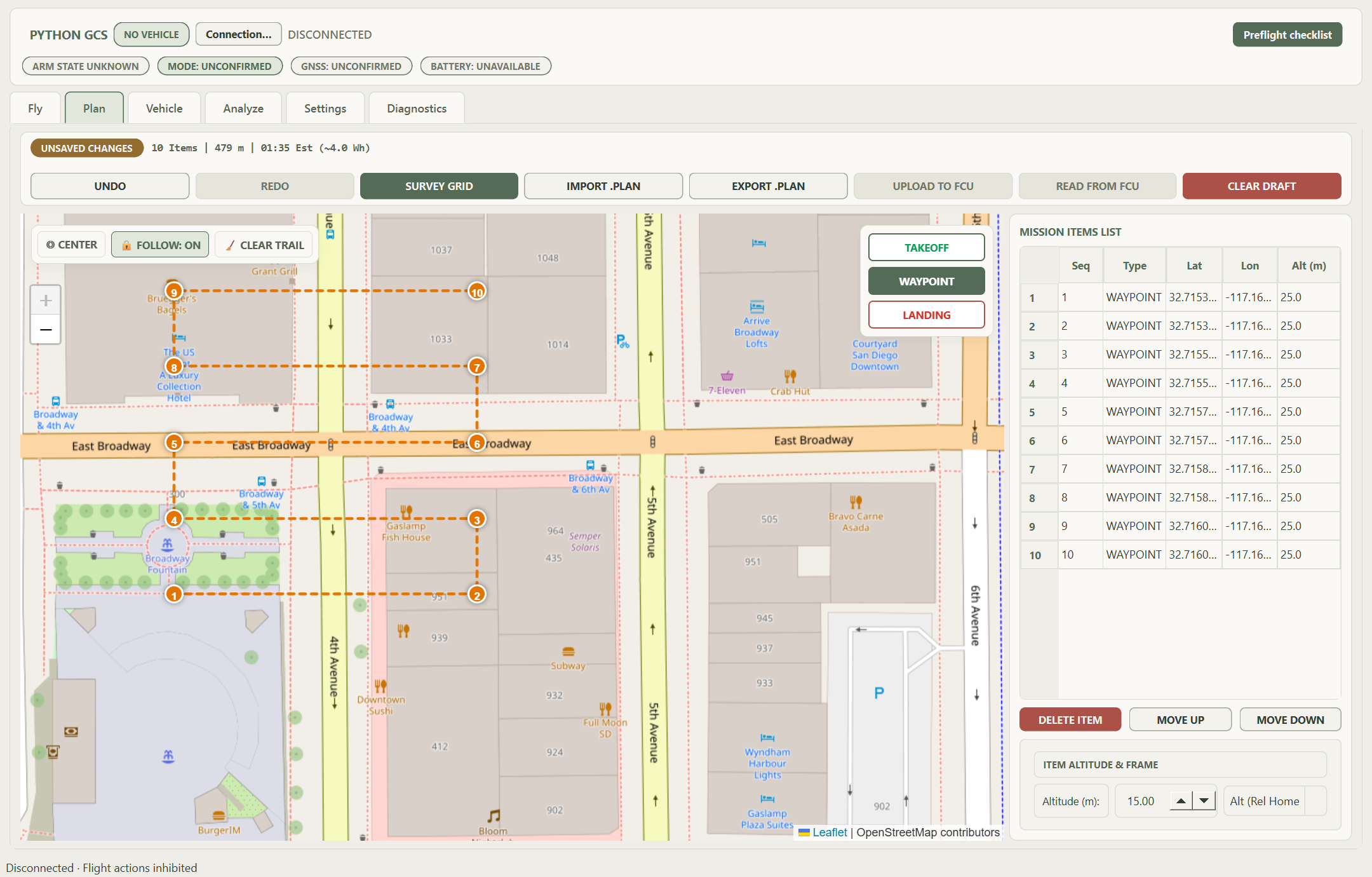
Fly and Plan use OpenStreetMap to place the aircraft and mission in geographic context. Home position, waypoint markers, and the recorded flight trail help the pilot understand the route and current position. The desktop also supports cached tiles and offline MBTiles packages for situations without a reliable internet connection.
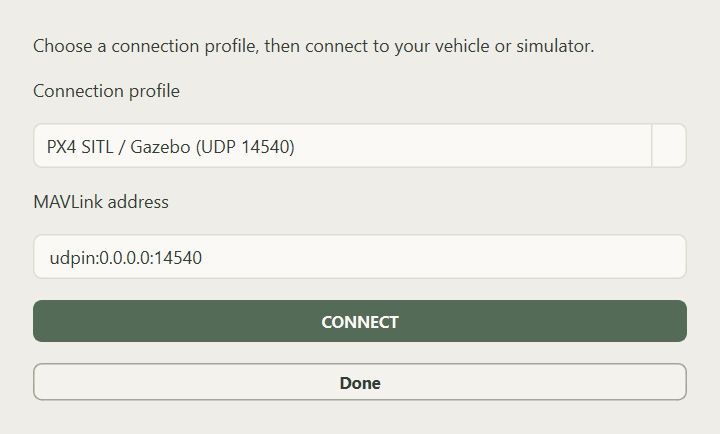
The GCS connects through MAVLink to PX4 running with Gazebo. This lets users exercise telemetry, flight modes, and commands using a simulated aircraft. The simulator feeds telemetry into the desktop map, instruments, and vehicle-status interface.
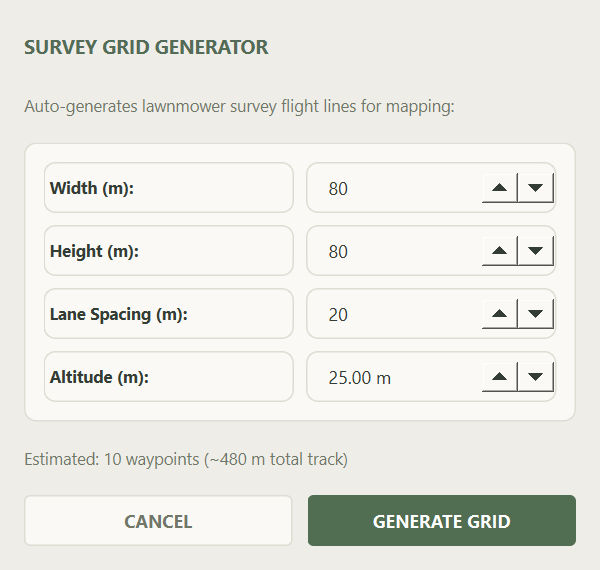
The survey generator uses area width, height, lane spacing, and altitude to generate a lawnmower route. The resulting waypoints appear on the map and in an editable mission table. Undo and redo, supported .plan import and export, and desktop mission upload with readback verification help users review and transfer the mission.
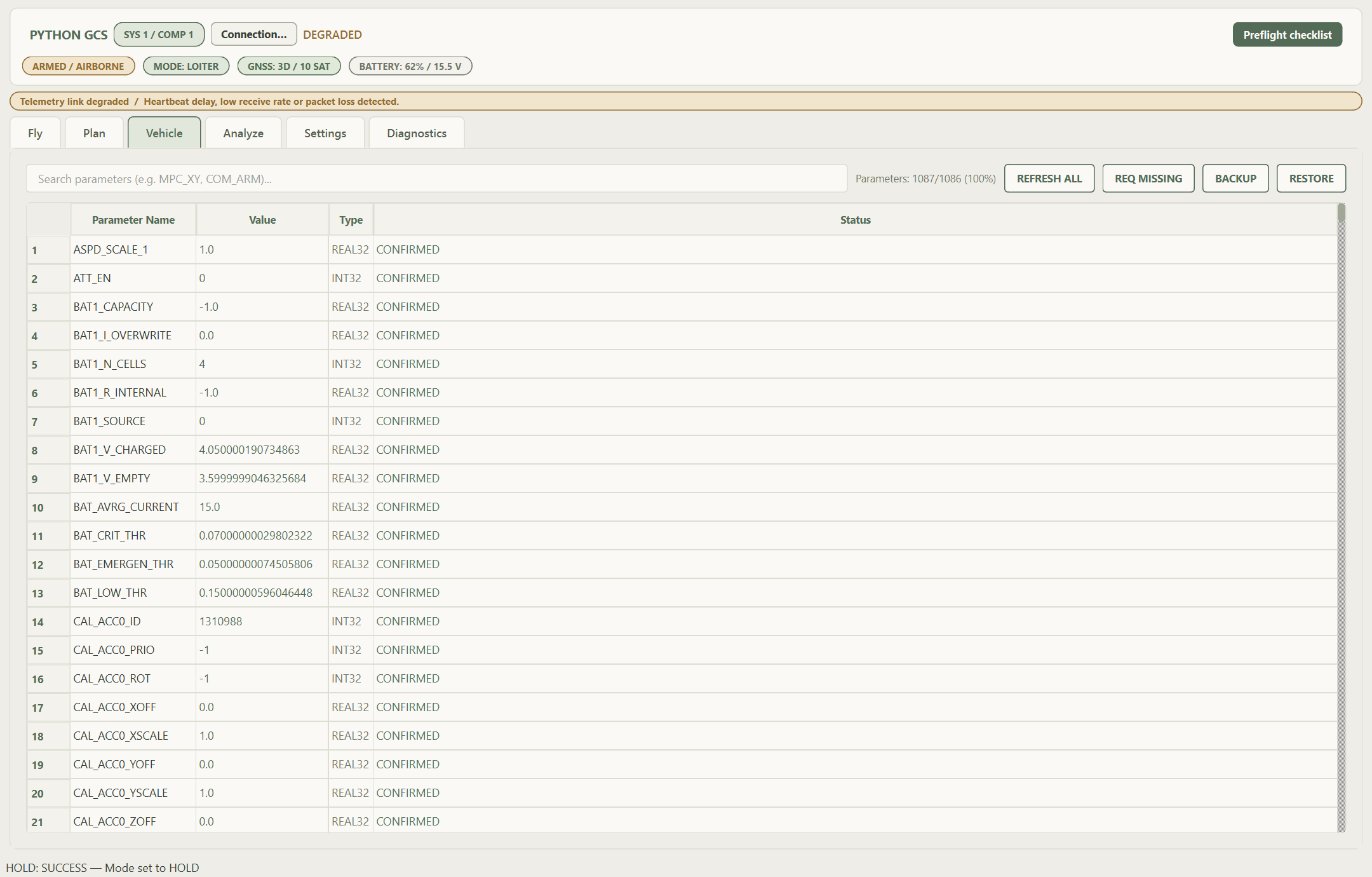
The Vehicle screen provides parameter search, download, missing-entry recovery, backup, and restore controls. It shows which backup values would change and which should be skipped before restoring. Typed parameter handling and matching controller readback distinguish a requested write from a confirmed value.
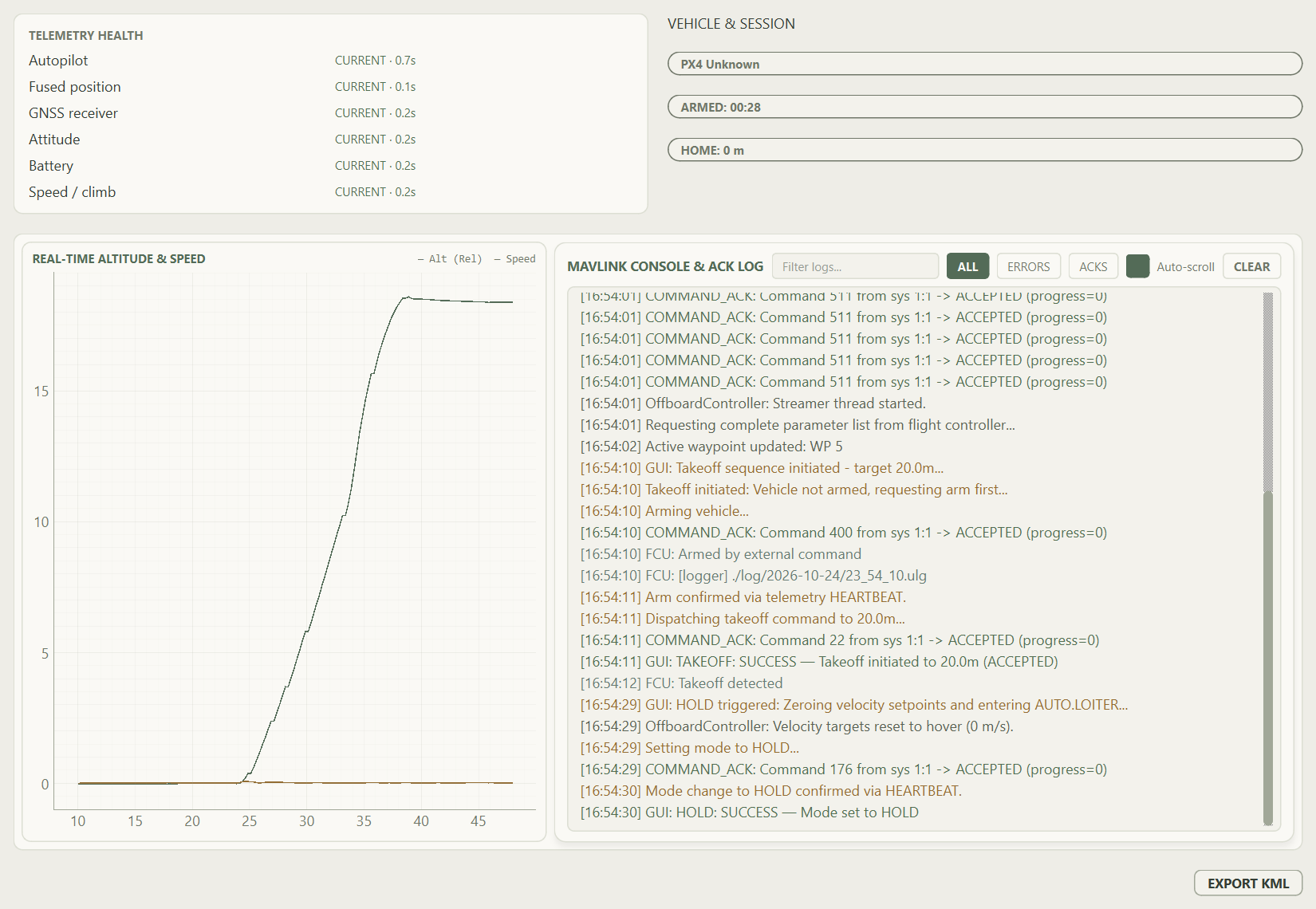
Diagnostics provides detailed telemetry health, trends, and command acknowledgments without crowding the main Fly screen. It tracks individual streams rather than assuming a heartbeat means every sensor is current. The desktop panel can be moved to another display; closing that window returns its widgets and histories to the Diagnostics tab.
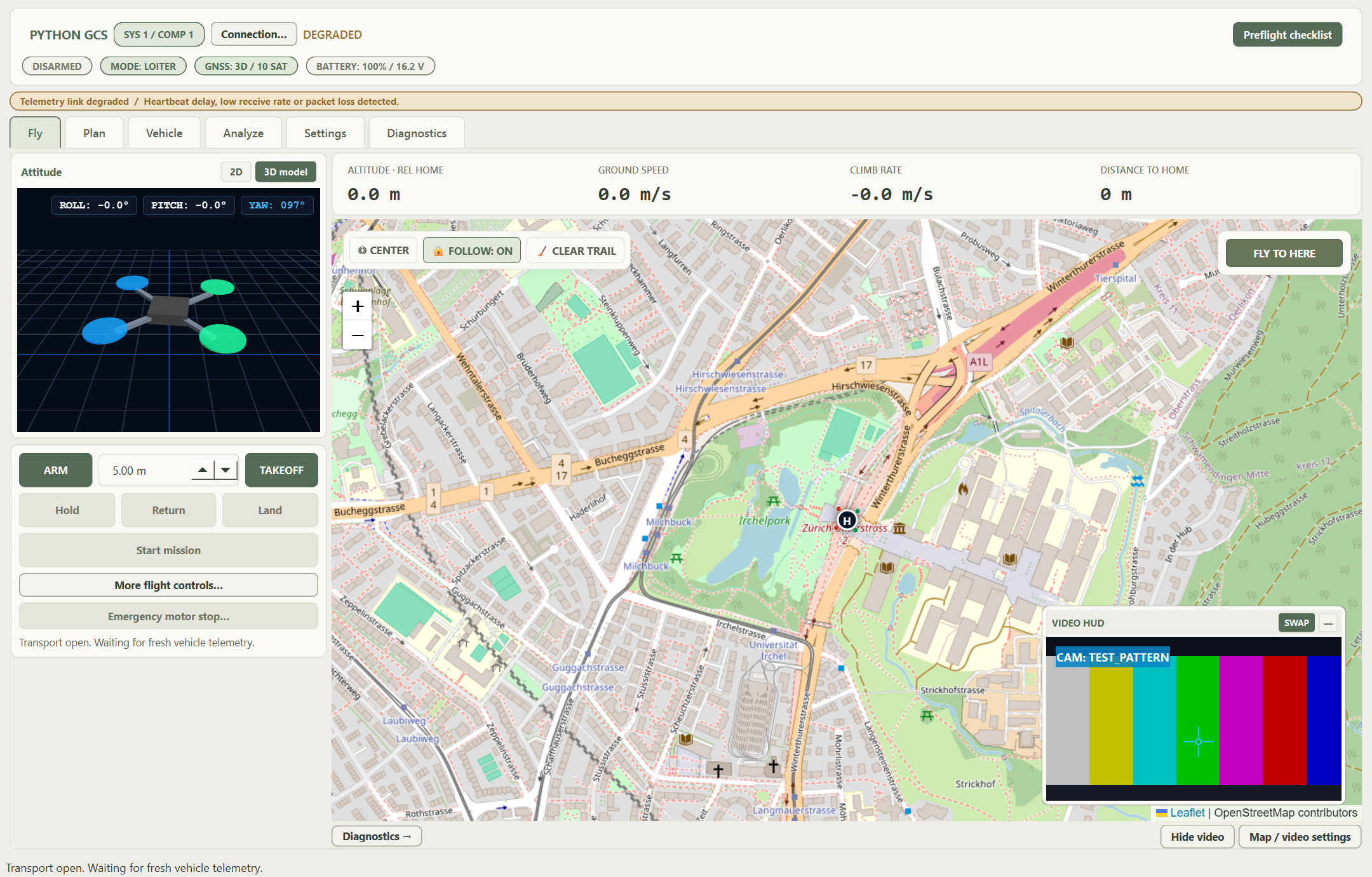
The optional video inset lets the map remain the main workspace while a feed stays visible. Swap promotes video to the main view and keeps the map in an inset. Hiding video restores map-first operation, while source configuration stays in Settings. The image to the left uses the app’s built-in test feed, because external camera streaming was not yet fully functional.
The future of this system is a more capable, intuitive ground control station that builds on its existing 3D attitude visualization, OpenStreetMap integration, autonomous mission planning, and Gazebo/PX4 simulation support. Planned development will focus on validating physical-aircraft operation, improving telemetry reliability, expanding mission formats, and adding tools such as geofence editing, terrain-aware planning, and synchronized flight replay. Further work could bring live aircraft connectivity to the browser interface and integrate camera feeds more closely with mission monitoring. Throughout these improvements, the design will preserve existing features and keep essential flight information clear, with advanced tools available in dedicated workspaces.
Editable geofences and an elevation profile would help users review routes and planned clearance.
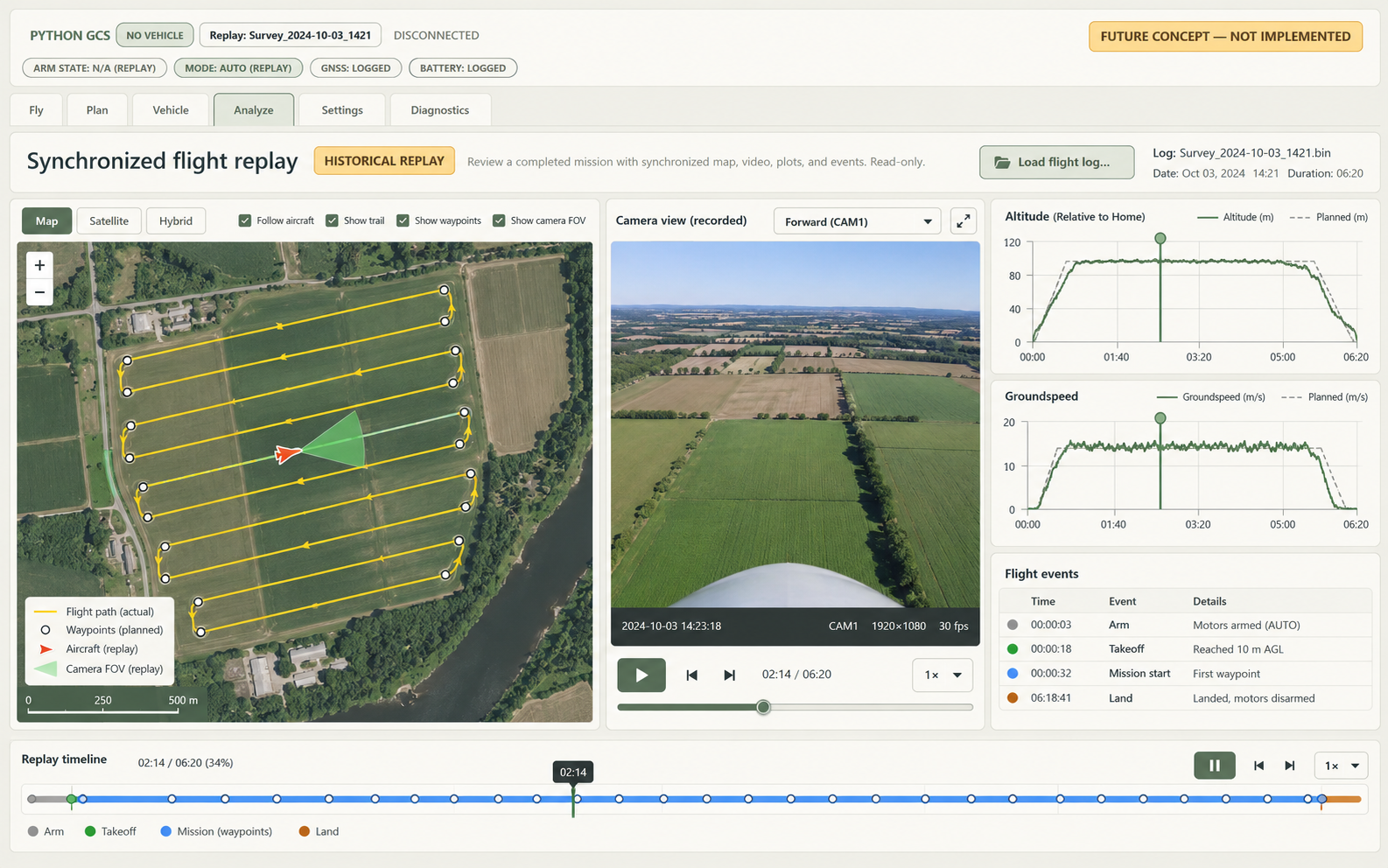
One timeline would link the recorded map position, camera video, telemetry charts, and flight events.
A connection panel could bring aircraft telemetry into the browser while retaining the existing 3D model and OpenStreetMap.